WEBSITE GUIDE
One-page vs. multi-page website: what does your business need?
Choose a one-page website when the information customers need fits clearly on one page, with an easy way to contact you. Use separate pages when a menu, service or another part of the business needs a fuller explanation.
When is a one-page website enough?
A one-page website keeps the main business information at one address. Visitors scroll between sections, and navigation links can take them straight to services, prices or contact details.
A new handyman business could put its services and work photos on one page. A salon with a short service list may also have enough room there. Customers need to see what you offer and how to get in touch. Photographs, a form or a calculator can all fit on one page when they are part of the agreed scope.
Try outlining the page before deciding. For a small repair business, the outline might be an introduction, services, a few work photos and contact details. If each section has a clear purpose and the information is easy to follow on a phone, a single page is a reasonable starting point.
When do separate pages help?
A multi-page website gives different parts of the business their own web addresses. The navigation might lead to a homepage, individual services, a menu and a contact page.
Consider a cafe with a substantial menu. Someone checking the address needs a different amount of information from someone comparing dishes. A separate menu page lets you share the menu directly and keep the homepage focused on the venue. A cleaning business could need separate pages when home cleaning and office contracts require different explanations.
For each proposed page, write down what a visitor should learn and what information you can provide. A brief topic can stay in a homepage section. A service with its own process, prices and relevant photographs has more material for a separate page.
How do the two structures compare?
On a small screen, scroll the table sideways to read every column.
| Decision | One-page website | Multi-page website |
|---|---|---|
| Customer journey | Scroll through the business information and use section links | Choose a page for a particular service or question |
| Content | One focused offer or a manageable amount of business information | Distinct topics that each need their own explanation |
| Sharing a link | Share the main page or a link to a section | Share a service, menu or other page directly |
| Future additions | Add a section while the page remains easy to follow | Add a useful page and connect it through the navigation |
Both structures need readable text and a clear contact action on a phone. Open the layout on a small screen and check how easily you can find the phone number or inquiry form.
What can you learn from the ILDARIO examples?
The portfolio businesses are fictional design concepts. You can inspect their layouts and features; the prices describe a website with comparable scope.
FIXDAY is a one-page handyman concept with service information, work photos and direct phone and WhatsApp links. Its comparable price is $199. It gives an example of the direct-contact approach in the entry package, without a request form or embedded map.
SUNDAY HOME keeps cleaning information and an estimate calculator on one page. Its comparable price is $369, including the $299 package plus the calculator. Extra functionality can change the price even when the page count stays the same.
TACO LUMA has a homepage video and a separate menu page. Its comparable price is $499: the $399 website package includes those pages, and $100 covers three video clips edited into one homepage video with color correction. Guests can open the menu separately and use the displayed phone-ordering path.
How does the structure affect the price?
ILDARIO's package prices account for the pages and features in the agreed scope. A form, calculator, separate menu or video can also affect the amount of work.
Sections are blocks within a page, such as services and contact details. Separate pages have their own addresses. The $299 package's six-section limit describes content within a page; a contact form can sit on that page too.
On a small screen, scroll the table sideways to read every column.
| Package | Price | Standard scope |
|---|---|---|
| One-page website | $199 | Up to 4 sections, mobile-friendly design and direct contact. No contact form or Google Maps. |
| Website + contact form | $299 | Up to 6 sections, a contact form and a map for a confirmed business address. |
| Multi-page website | $399 | Up to 5 pages, up to 30 AI-generated images, analytics and Google Search Console setup. Video production is separate. |
These are one-time build prices. Domain registration and renewals are separate. Optional $99 care includes six months of hosting; without it, arrange hosting separately. We agree on the pages and features before work begins. The website cost guide explains the example prices and ongoing expenses; the package details list the full inclusions and payment terms.
Is a multi-page website better for SEO?
Separate pages give you room to explain distinct services with their own headings and descriptive addresses. They can also make it easier to link customers to the information they want. A one-page website can be indexed too.
Adding pages does not guarantee rankings. Google recommends original, useful content, logical site organization and descriptive links. Write each service page around the questions a customer would ask about that service. Keep the information specific, and check that search engines can access it.
See Google's SEO Starter Guide for its advice on organizing a site and writing helpful content.
Can you start with one page and expand later?
Yes. A first website can introduce the business, then gain a separate menu, service page or gallery when there is enough content for it. Tell the designer about likely additions before the first build so the navigation and layout can accommodate them.
Before adding a page later, agree on its content, design and price. Keep the existing contact paths working when the site changes, and decide how hours, prices and menu information will stay current.
What should you decide before asking for a quote?
Write a rough outline and gather the information for each part. You should be able to answer these questions:
- What should the visitor do: call, send an inquiry, request a visit or read a menu?
- Which topics can share a page, and which need separate explanations?
- What photographs, service details and prices are ready to publish?
- Which features do you need beyond the text and images?
Use the first website checklist to prepare the business details. If you have an outline, leave your contact details so we can discuss which pages you need.
Explore the design concepts
Independent examples for fictional businesses. They demonstrate layout and features, rather than client results.
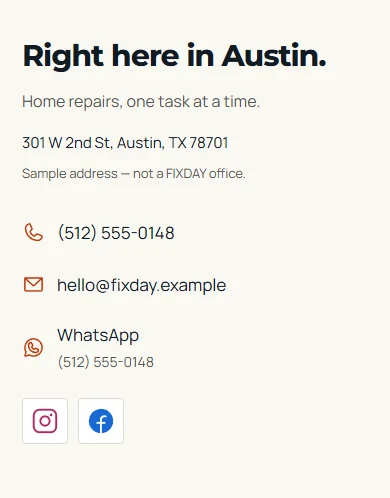 FIXDAYHome repairs · Comparable scope $199Mobile contact details with direct phone and WhatsApp links.
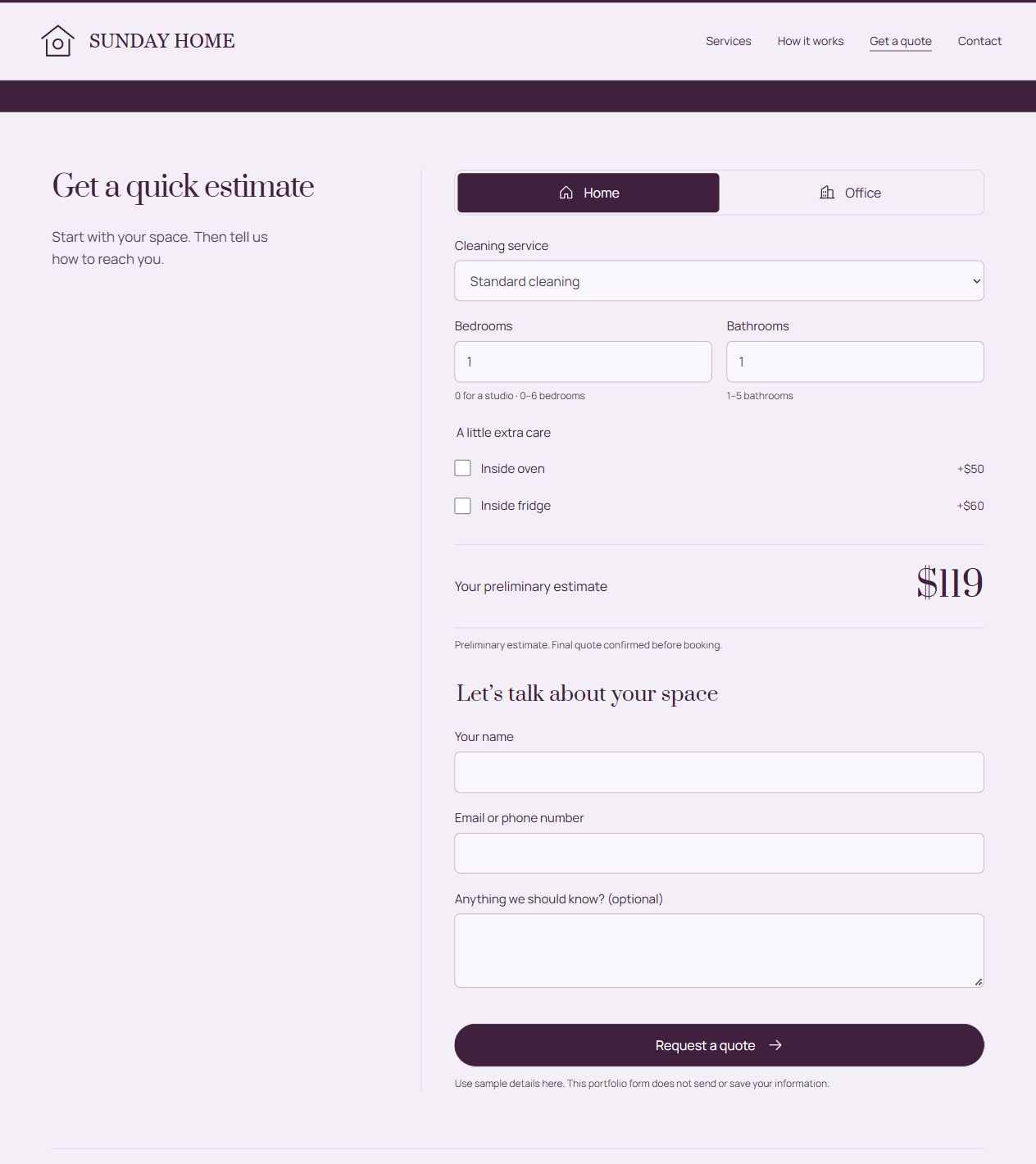 SUNDAY HOMECleaning services · Comparable scope $369An on-page calculator helps visitors estimate the cleaning cost.
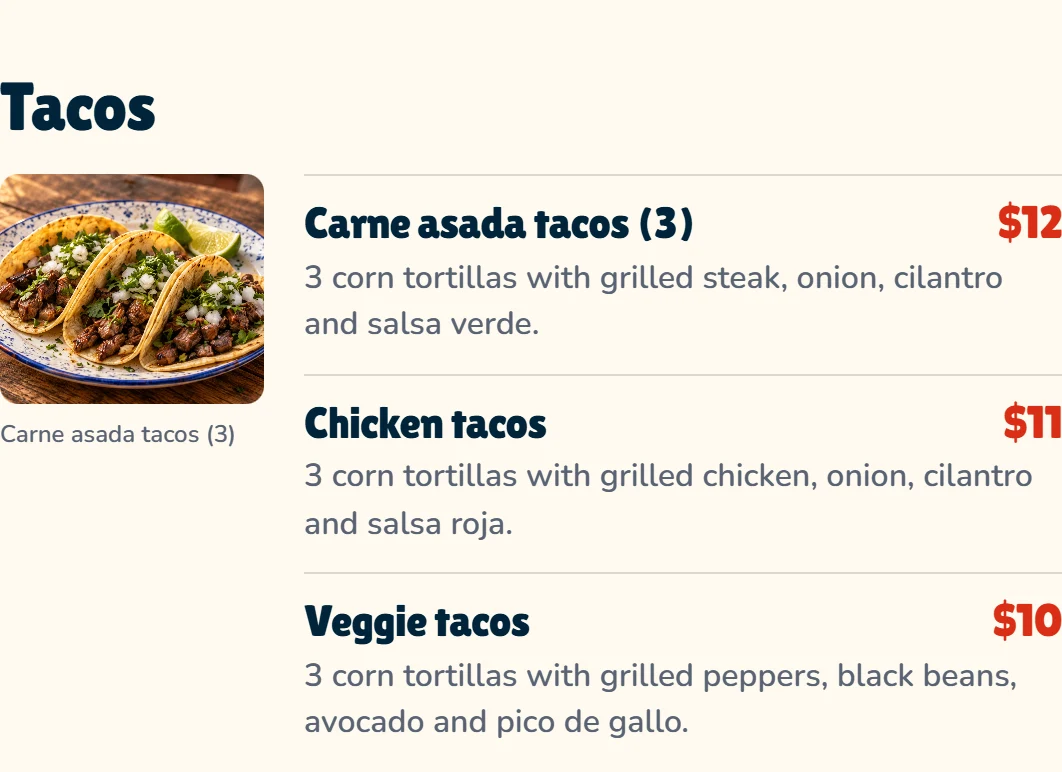 TACO LUMAMexican restaurant · Comparable scope $499Tacos menu with a dish photo, portions and sample prices.
Website services for your business
Tell me what you are starting.
Share your business, the information you want to show and how customers should reach you. We will agree on the scope and a fixed price before work begins.
Discuss your website